
 M2Manager Community v0.0.2-com
Your all-in-one desktop companion for managing Metin2 game files.
Windows · Linux · macOS — Free
After months of development, we're thrilled to release M2Manager Community — a modern, cross-platform desktop application designed to make managing your Metin2 server and client files effortless. No more manually editing SQL queries, navigating messy file structures, or switching between dozens of tools. Everything you need is in one place.
 Core Features
 Shop Editor
Create, edit, and manage in-game shops with an intuitive visual editor. Add items from a searchable grid, adjust quantities with inline plus/minus controls, assign NPCs with a model preview, and deploy your shops — all without touching a single SQL query.
 3D Model Viewer
Preview Granny 3D .gr2 game models directly inside M2Manager. Inspect characters, mobs, NPCs, items, and equipment in a fully interactive 3D viewport with orbit controls, zoom, and Phong-shaded lighting.
 Connection Manager
Set up and manage your server connections in one place:
- SSH — Secure shell access with password or key-based authentication
- MySQL — Direct database connection for shop and item management
- Multiple connection profiles with instant switching
 Dashboard & Path Configuration
Get a quick overview of your game server at a glance. Set up your game file paths once, use them everywhere (client path, server path, and mapping paths for atlas/map data).
 Multi-Language Interface
Fully localized with13 languages: English, German, French, Spanish, Portuguese, Italian, Dutch, Turkish, Russian, Romanian, Czech, Hungarian, and Greek.
 Auto-Updater & Customization
M2Manager keeps itself up to date automatically. Includes dark/light themes with OS detection, and a responsive layout for any screen size.
 Latest Additions (v0.0.2) Smart Shop Stack Count Synchronization
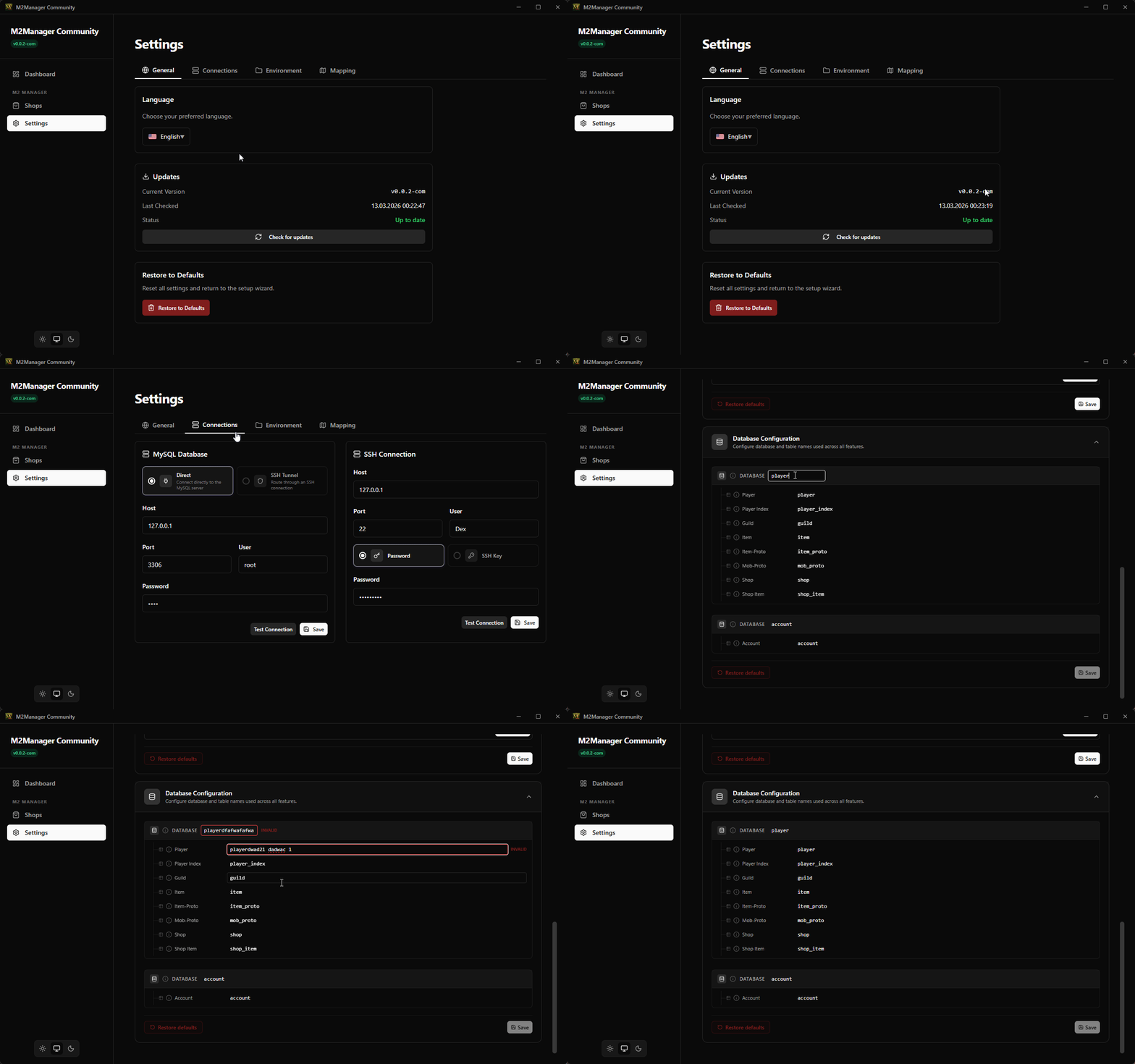
When adjusting the Max Stack Count, M2Manager now gives you full control. A preview dialog shows every item that would change before writing to the database. It includes individual conflict resolution and a detailed update summary.
 Live Database Validation
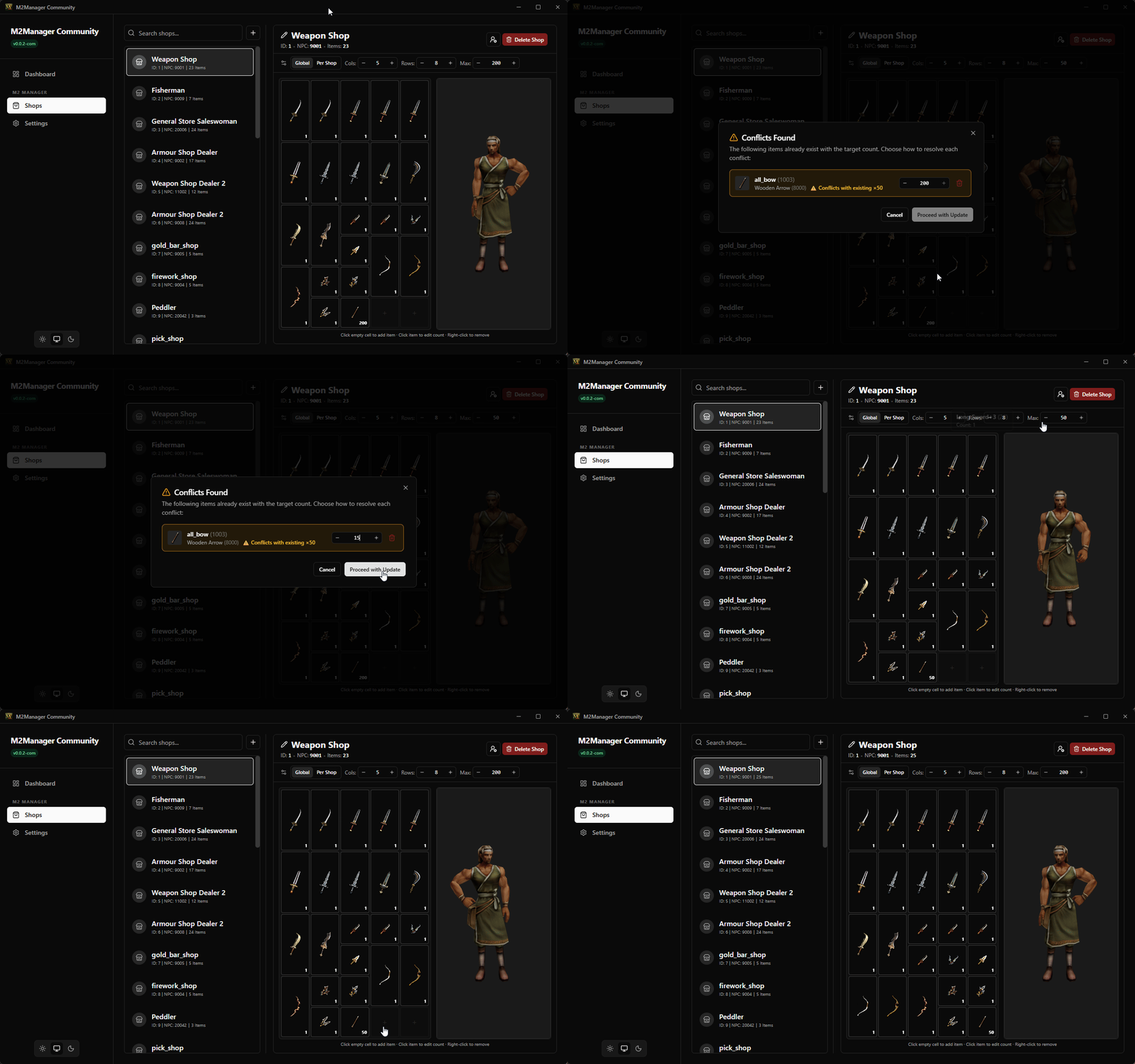
The Environment settings tab validates your database and table configuration in real-time as you type (OK, MOD, NOT FOUND, INVALID). No more guessing if table names are correct.
 Connectivity & Security Fixes
- SSH Tunnel for MySQL — Securely connect to remote game databases through a built-in SSH tunnel.
- Per-Feature Table Overrides — Total flexibility for split-database setups.
- Duplicate Key Protection — Pre-checks for unique constraint violations during shop edits.
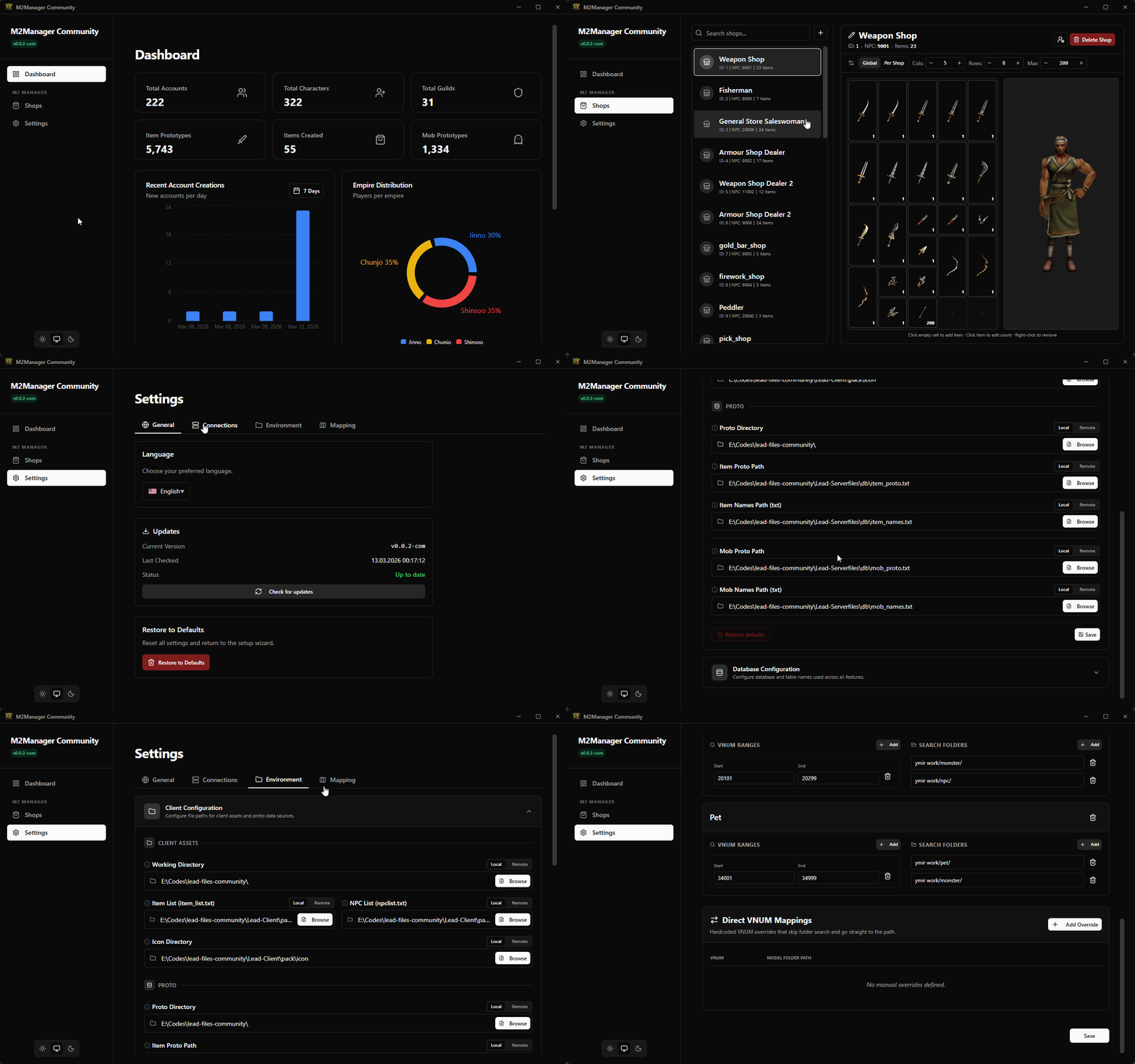
 App Previews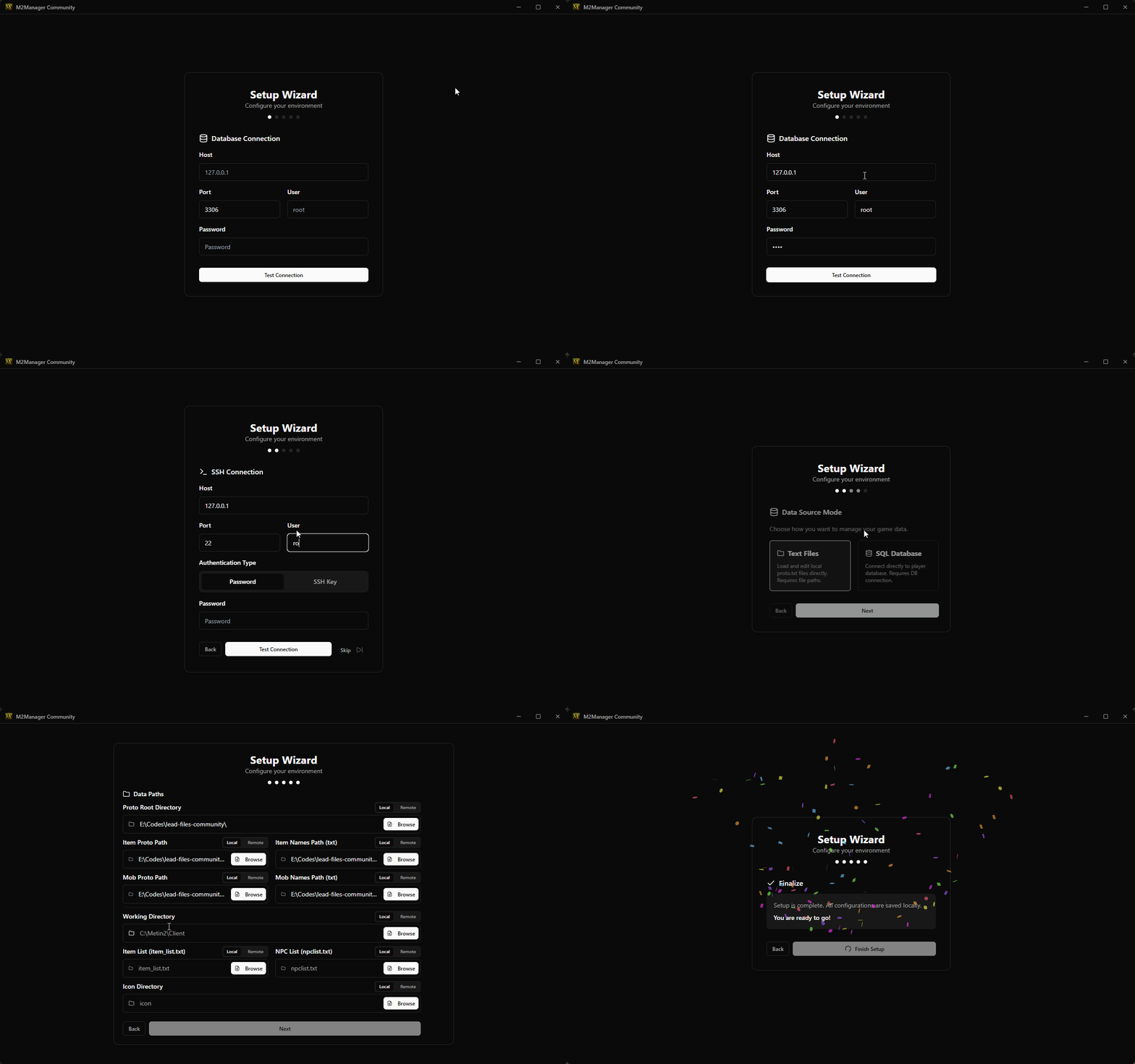
 Download (v0.0.2-com)
Note: If you already have v0.0.1 installed, simply click the version badge in the app's title bar to auto-update!
| Platform | Download |
| Windows (x64) |
Hidden content
You need to react to this post in order to see this content.
|
| Linux (x64) |
Hidden content
You need to react to this post in order to see this content.
|
| macOS (Apple Silicon) |
Hidden content
You need to react to this post in order to see this content.
|
| macOS (Intel) |
Hidden content
You need to react to this post in order to see this content.
|

Hidden content
You need to react to this post in order to see this content.
 Antivirus Notice
M2Manager uses production-grade binary hardening techniques to protect its internal logic (string obfuscation, symbol stripping, LTO optimization). Some antivirus engines may flag the binary as suspicious due to these patterns. This is a false positive. The complete VirusTotal scan report is attached in the GitHub release notes.
 What's Next?
This is just the beginning! We ship new features on a weekly basis. The auto-updater handles everything for you. Have ideas? Join our Discord or leave a reply below!
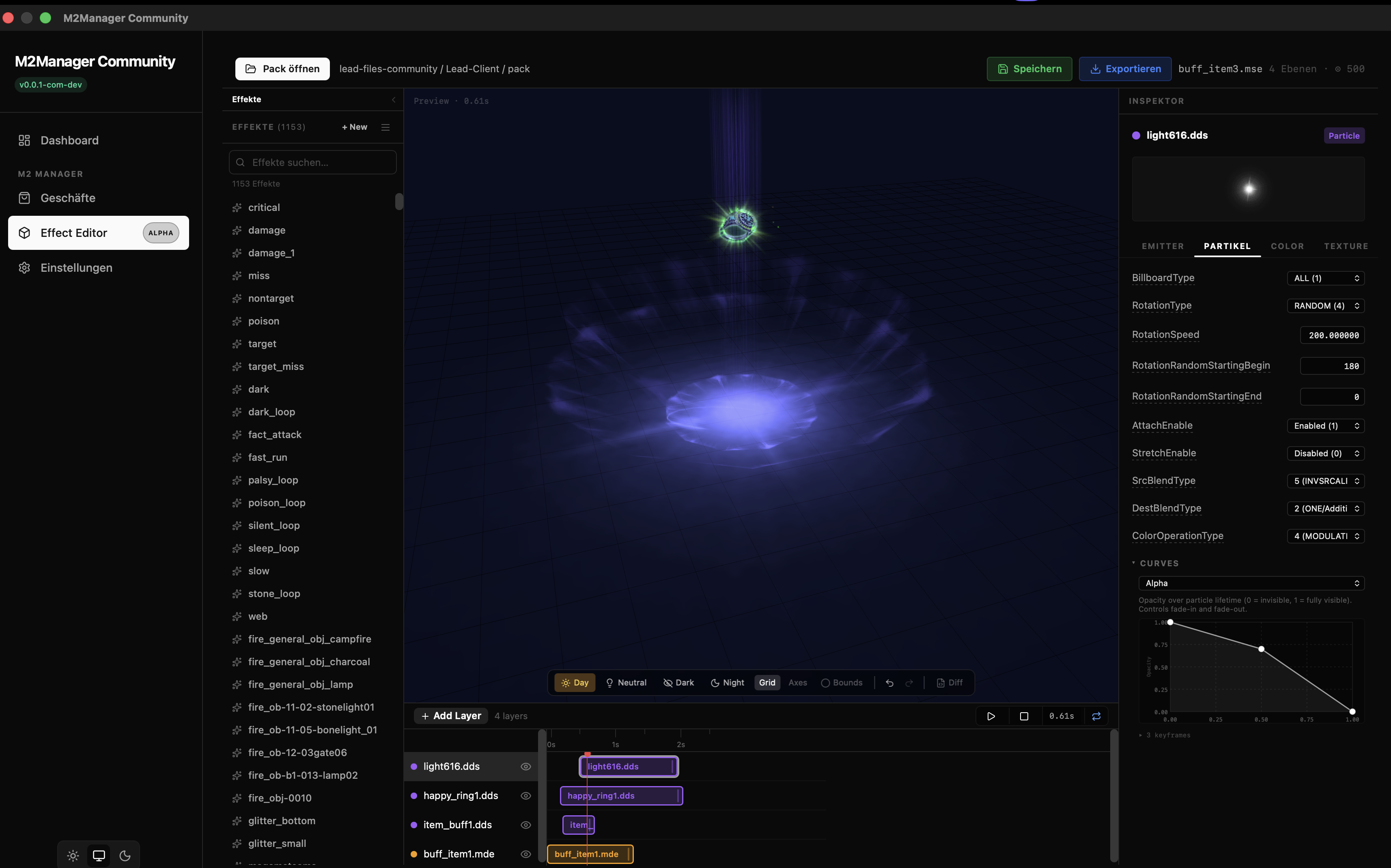
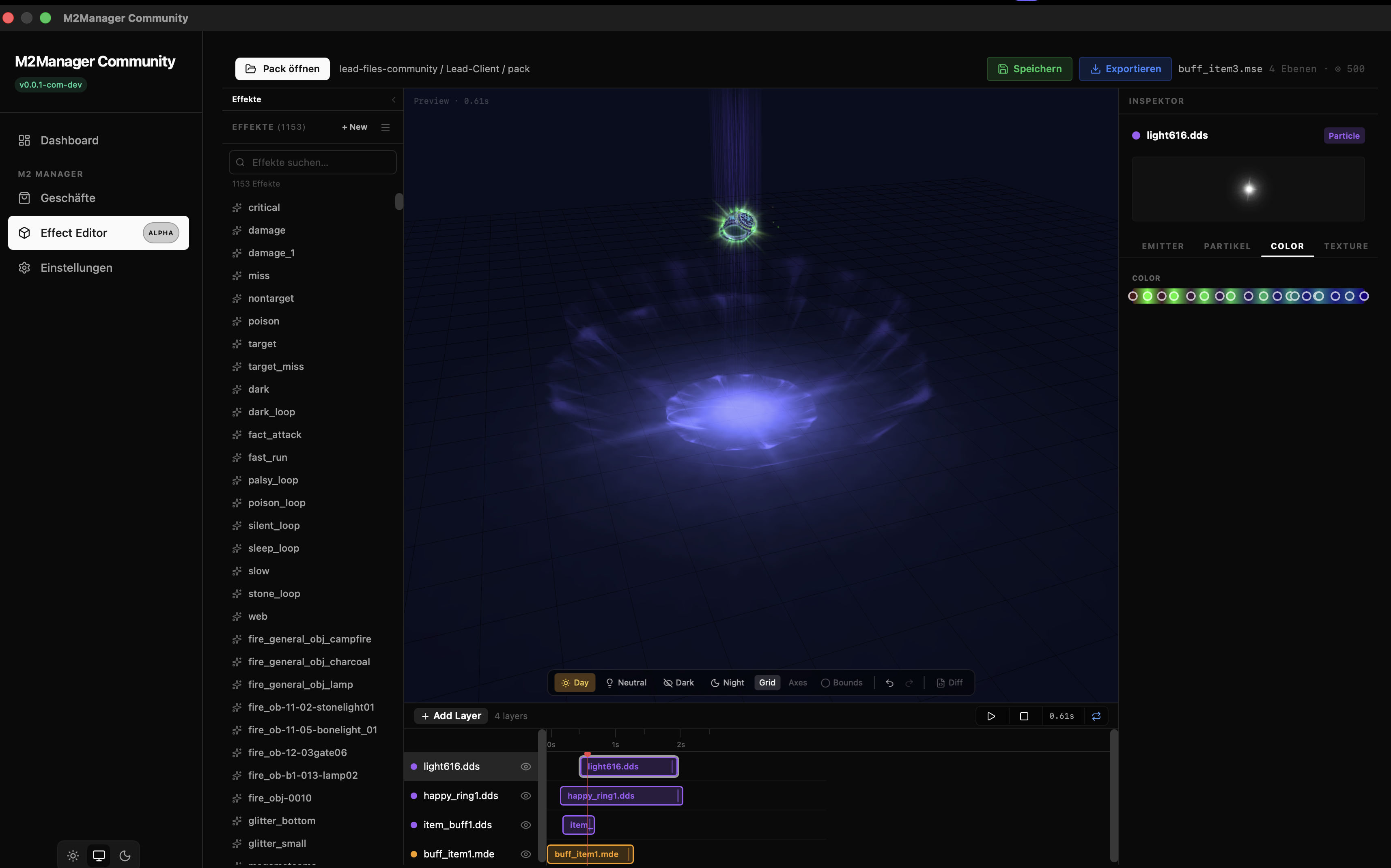
Sneak Peek — Coming Soon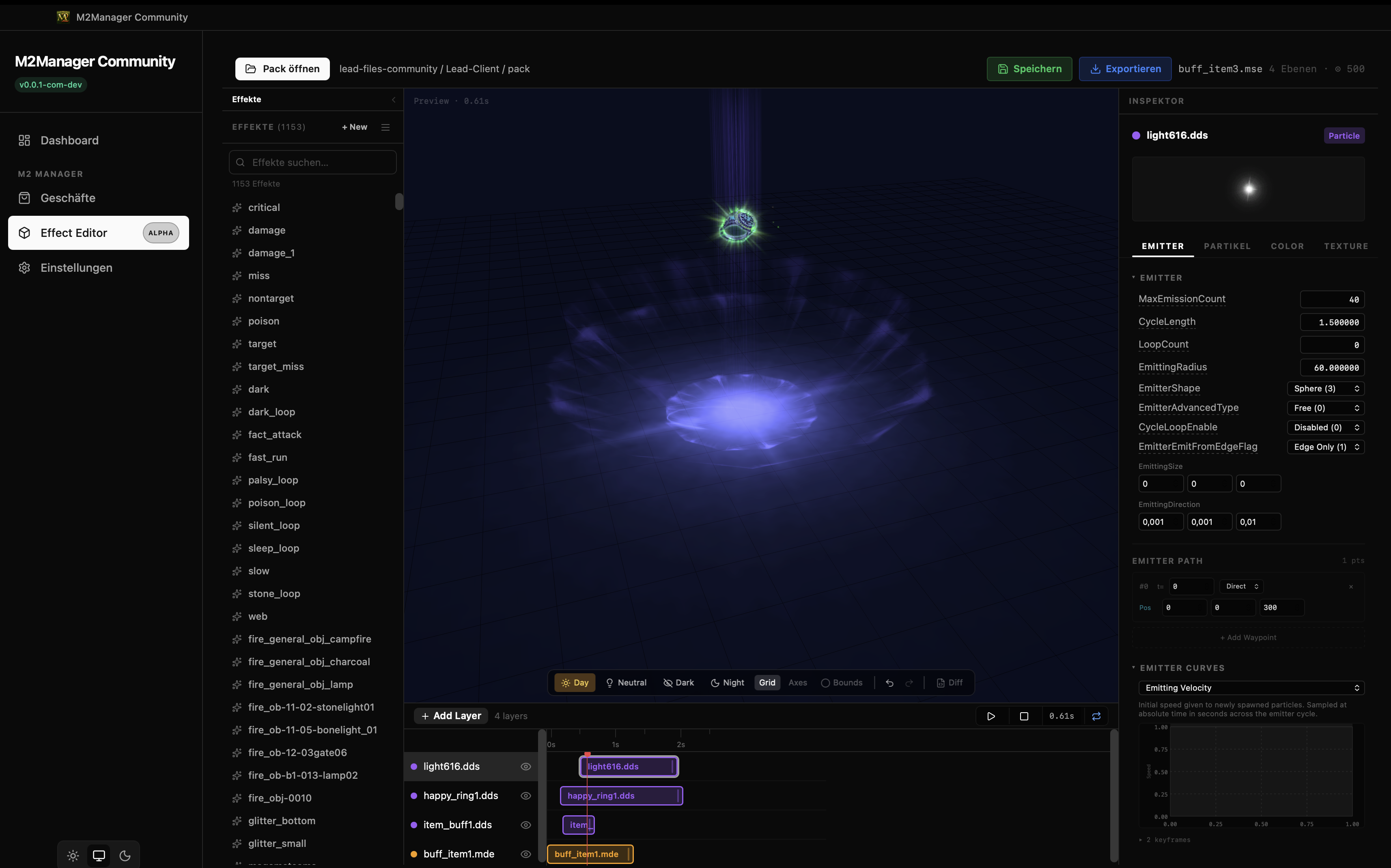

Hidden content
You need to react to this post in order to see this content.
Built by Dex & Señor Zynko
Last edited by a moderator:


