


Member
- Aug
- Threads
- 2
- 60
- 0
- 6
AD: Mt2009 - Mobile & PC - 30 January 2026 CHECK THE PRESENTATION!
Hello friends, I removed the k inventory from Ottoman2, but there is a very strange error in the k inventory, the k inventory pulls the objects in the normal inventory, I actually made adaptations, but for example, it shows the k inventory objects in the inventory insight, I did not understand the reason, does anyone have an idea, by the way, there are grid_1 grid_2 in the src section, I can transfer them to the inventory. I have 4 inventories and changed them to 5, 6, 7, 8, but it still didn't work.
for example like this
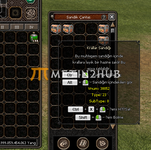 as you can see, the mouse is hovering over the chest at the end, the item section at the bottom comes up, but the chest shows 1 item in the normal inventory, but the problem is that the chest there is 1, but in the other photo I look at another chest, as you can see
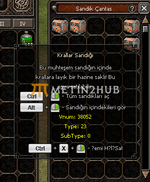
For example, when I opened the insight chest here, see the green potion in the normal inventory.
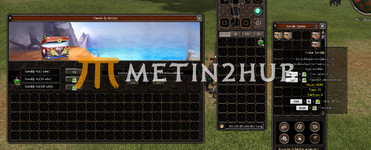
My second problem is that I think it is due to my problem here. I edited the window that it does not see books, but even though it does not read books, how can I fix this? The window opens but it only sees books. I'm sure there is a simple solution, but it doesn't work, I don't understand the problem

for example like this
as you can see, the mouse is hovering over the chest at the end, the item section at the bottom comes up, but the chest shows 1 item in the normal inventory, but the problem is that the chest there is 1, but in the other photo I look at another chest, as you can see
For example, when I opened the insight chest here, see the green potion in the normal inventory.
My second problem is that I think it is due to my problem here. I edited the window that it does not see books, but even though it does not read books, how can I fix this? The window opens but it only sees books. I'm sure there is a simple solution, but it doesn't work, I don't understand the problem


